How to Spot a Phishing Email: 12 Red Flags and Examples
In this article
- The 3-question test before you click anything
- 12 red flags of a phishing email
- How to check the sender and links without clicking
- Three phishing email examples, broken down
- Real email or phishing? A side-by-side
- What to do if you clicked a link or opened an attachment
- How to report a phishing email in the U.S.
- How to make phishing much harder to fall for
- Common mistakes
- Frequently asked questions
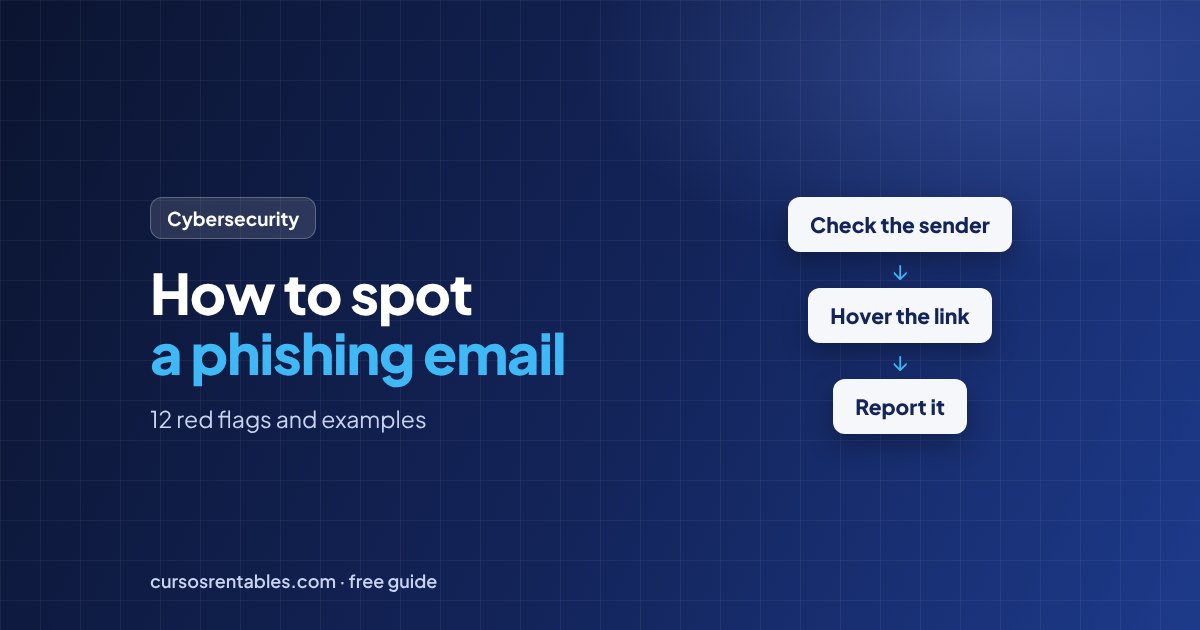
To spot a phishing email, slow down and check five things: the sender's real address (not just the display name), where the links actually lead, whether the message rushes or scares you, whether it asks for a password, payment or personal information, and whether you were expecting it at all. If anything feels off, don't use the links, attachments or phone numbers in the email. Go to the company's website or app yourself, or call a number you already trust.
Below: the 12 red flags in one table, three example emails broken down, what to do if you already clicked, and where to report phishing in the United States. All companies, addresses and phone numbers in the examples are fictional.
The 3-question test before you click anything
You don't need to be technical. You need a pause and three questions:
Was I expecting this?
An unexpected invoice, delivery notice, password reset, refund or "shared document" deserves a second look.
Your move: if you didn't start it, don't finish it from the email.Is it rushing or scaring me?
"Within 24 hours." "Your account will be suspended." "Unusual sign-in detected." "Final notice."
Your move: a real problem can wait ten minutes while you check it yourself.Does it want my login, money or data?
Passwords, verification codes, card numbers, your Social Security number, gift cards, wire transfers or new bank details.
Your move: treat any of these as high risk until you've verified the request another way.If any answer is yes, switch to verification mode: inspect the sender and links as shown below, or contact the organization through a channel you know is real.
Scammers now use AI tools to write fluent, polished messages and copy real logos and layouts. A perfectly written email can still be phishing. Judge the request and the sender, not the spelling.
12 red flags of a phishing email
| Red flag | What it looks like | How to check |
|---|---|---|
| 1. Display name doesn't match the address | "Larkmoor Bank Security" sent from a random or unrelated address | Click or tap the sender's name to see the full address |
| 2. Look-alike domain | "rn" posing as "m," a zero instead of an "o," extra words like "-support" or a different ending such as .co or .info | Compare it with the address on past emails you know are real |
| 3. Reply-To goes somewhere else | The message claims to be from a company, but replies go to a free webmail account | Click Reply and look at the "To" field, then close the draft without sending |
| 4. Urgency or threats | Deadlines, account suspension, legal action, late fees | Ask yourself why a real company would give you only hours to act |
| 5. Requests for credentials or codes | "Confirm your password," "send us the code we just texted you" | Legitimate organizations don't ask you to send passwords or one-time codes by email |
| 6. Payment changes or unusual payment methods | New bank details for a vendor, gift cards, cryptocurrency, wire transfers | Confirm by phone using a number from your own records |
| 7. Links that don't go where they say | The link text shows the real company; the actual address is different | Hover on a computer or press and hold on a phone to preview the address |
| 8. Unexpected attachments | HTML files, ZIP files (sometimes password-protected), or documents asking you to "enable content" | Don't open them; ask the sender through a separate channel |
| 9. Generic or wrong details | "Dear customer," the wrong last four digits, an account you don't have | Log in to your real account and see if anything matches |
| 10. Too good to be true | Refunds, prizes, unclaimed money, an unexpected bonus | If you didn't enter or apply, it isn't yours |
| 11. A QR code instead of a link | "Scan to keep your account active" | Treat it like a link: it hides the address and moves the attack to your phone |
| 12. A phone number to "cancel" or "dispute" | "If you didn't authorize this charge, call us" | Call the number on the company's official website or the back of your card instead |
One red flag doesn't always mean phishing, but two or three together, especially with a request for a login or money, is your signal to stop.
How to check the sender and links without clicking
Read the full sender address
Anyone can type any display name. What matters is the domain after the @ sign. A message from "Larkmoor Bank" sent from alerts@larkmoor-bank-notices.com is not from larkmoorbank.com, however official the logo looks. On a phone, tap the name to see the address.
Read a link from right to left
Preview the link first (hover on a computer, press and hold on a phone), then find the part just before the first single slash and read it from right to left. The real website is the name right before the ending (.com, .net, .org):
https://www.larkmoorbank.com/alerts           → larkmoorbank.com (the real bank, in this example)
https://larkmoorbank.com.account-check.net/login → account-check.net (not the bank)
https://larkmoor-bank-support.com/verify      → larkmoor-bank-support.com (not the bank)
https://www.larkrnoorbank.com/login           → "rn" pretending to be "m" (not the bank)
Anything left of the real name is a subdomain, which the site owner can set to anything, including your bank's name. Shortened links hide the destination entirely, so treat them as suspicious.
Use the warnings your email app already gives you
Notice banners such as "Be careful with this message" or "External sender," and labels like "via" next to the sender. Options such as "Show original" or "View message source" reveal whether the message passed the SPF, DKIM and DMARC authentication checks. A failure is a strong warning sign. A pass only proves the email came from that domain, and a scammer's look-alike domain can pass too, so still read the domain itself.
Three phishing email examples, broken down
Example 1: "Your password expires today"
To: you@quillmontdental.com
Subject: Password expiration notice: action required within 24 hours
Your email password expires today. To keep using your mailbox without interruption, confirm your current password through the secure portal below. Accounts that are not verified within 24 hours will be locked. [Keep My Password]
Imagine you work at Quillmont Dental Group, whose real domain is quillmontdental.com. Hovering over the button shows https://quillmontdental.com.mail-keepaccess.net/login. Here's what gives it away:
- Sender domain: quillmont-dental-support.com is not your company's domain, and IT teams send from their own.
- Link destination: read right to left, the real site is mail-keepaccess.net.
- The request makes no sense: password policies ask you to change a password inside your account, never to "confirm" your current one on a web form.
- The threat: 24 hours or you're locked out.
Safe move: don't click. Open your email or company portal the way you always do; if your password really needs changing, you'll see it there. Report the message to IT. A password manager helps too: it won't autofill your password on a fake domain.
Example 2: The small delivery fee
Subject: We couldn't deliver your package #TP-48210-US
Our driver attempted delivery today, but the address label was incomplete. To schedule redelivery, pay the $1.99 address correction fee within 48 hours. Packages not claimed will be returned to sender. [Schedule Redelivery]
This works because many of us really are waiting for a package. The red flags:
- The fee is tiny on purpose. The goal is your full card number, expiration date and security code, typed into a fake payment page.
- The domain: trovex-redelivery.info is not the carrier's website (here, trovexparcel.com).
- The tracking number matches no order confirmation you received.
- The deadline: 48 hours, or your package disappears.
Safe move: open the order confirmation from the store where you bought something and track the package from there, or type the carrier's official address into your browser. Then report and delete the email.
Example 3: The fake renewal with a phone number
Subject: Order confirmation: Vantorra Total Protection renewed ($399.99)
Thank you for your renewal. Your payment method has been charged $399.99 for a 3-year plan. If you did not authorize this purchase, call our cancellation desk within 24 hours at 1-8XX-XXX-XXXX to receive a full refund.
Notice there's no link at all. This is callback phishing: the email just needs you to call. On the phone, a friendly "agent" may ask you to install remote access software "to process the refund" or to log in to your bank while they watch. The red flags:
- You don't have this product, or you never pay for it this way.
- A company invoice sent from a free webmail account.
- A large charge designed to cause panic, with a 24-hour deadline.
- The only way to "fix" it is a phone number inside the email.
Safe move: check your statement in your bank's app. If a charge looks wrong, call the number on the back of your card. Never give remote access to someone you reached through an unexpected email or call.
Real email or phishing? A side-by-side
- Sender
- Matches the domain on the company's real website
- Links
- Go to the company's own domain
- Asks you to
- Log in on your own, through the app or website you already use
- Tone
- Informative, with no threats or countdowns
- Sender
- A look-alike domain or a free webmail account
- Links
- Unrelated domains, shortened links or QR codes
- Asks you to
- Confirm a password, pay a fee, call a number or open a file
- Tone
- Urgent, threatening or too good to be true
What to do if you clicked a link or opened an attachment
A click doesn't always mean you've been hacked, but act quickly. What to do depends on what happened after the click:
- Right awayStop and close the pageDon't type anything else. If a download started, cancel it and don't open the file.
- If you typed a passwordChange it from the real siteType the address yourself. Change it anywhere you reused it, turn on multi-factor authentication (MFA), sign out of other sessions and check your recovery email, phone number and forwarding rules.
- If you opened a fileDisconnect and get helpTake the device off Wi-Fi or the network. At work, call IT immediately. At home, update your system and run a full scan with your security software.
- If you entered card or bank detailsCall your bankUse the number on the back of your card or in your banking app. Ask them to block the card and watch for or dispute fraudulent charges.
- If you shared your SSN or ID detailsProtect your identityUse IdentityTheft.gov, the FTC's site, to get a recovery plan, and freeze your credit at Equifax, Experian and TransUnion. Freezes are free.
- The same dayReport itUse the channels in the next section, and warn your contacts if your account sent messages you didn't write.
Minutes matter. A fast report lets IT block the fake site, pull the same email from coworkers' inboxes and reset your access. Our lesson on incident response shows what happens behind the scenes after a report.
How to report a phishing email in the U.S.
Reporting helps take fake sites down. Where to report depends on your situation:
| Situation | Report it to | How |
|---|---|---|
| You received it at work | Your IT or security team | The "Report phishing" button in your email app or your company's reporting process |
| You received it in a personal inbox | Your email provider | The "Report phishing" or "Report spam" option in your email app |
| Any phishing email | The Anti-Phishing Working Group | Forward it to reportphishing@apwg.org, as the FTC recommends |
| You were targeted or tricked by a scam | The Federal Trade Commission (FTC) | File a report at ReportFraud.ftc.gov |
| You lost money | Your bank first, then the FBI's Internet Crime Complaint Center | Call your bank immediately, then file at ic3.gov |
| Someone is using your identity | The FTC | IdentityTheft.gov |
| The email impersonates a specific company | That company | Use the fraud or abuse contact listed on its official website |
| The same scam arrived as a text message | Your mobile carrier | Forward the text to 7726 (SPAM) |
Then delete the message.
How to make phishing much harder to fall for
Set these up with our lessons on passwords, password managers and MFA and privacy and personal data protection, which covers credit freezes step by step.
Common mistakes
Looking only for spelling mistakes.
Check the sender's domain, the real link address and what the email asks you to do.
Trusting the padlock or "https" in the address bar.
The padlock means the connection is encrypted, not that the site is honest. Phishing sites use it too.
Clicking "unsubscribe" in a suspicious email.
Use your email app's "Report phishing" or "Report spam" option instead.
Calling the number in the email to check if it's real.
Find the number yourself on the official website or your card.
Trusting a message because it came from someone you know.
Accounts get hacked. Verify unusual requests through a call or text to a number you already have.
Frequently asked questions
Can you get hacked just by opening a phishing email?
Opening an email in an up-to-date email app is generally low risk. The danger comes from what you do next: clicking links, opening attachments, enabling content, replying or calling a number. Loaded images can tell the sender your address is active, so some people turn off automatic image loading.
What's the difference between spam and phishing?
Spam is unwanted bulk email, often just aggressive marketing. Phishing pretends to come from someone you trust to steal your login, money or personal information.
What should I do if a phishing email came from someone I know?
Their account may have been hacked, or someone may be faking their address. Don't reply to the email. Contact them through another channel you already have, such as a phone call or text, and let them know so they can secure their account.
Should I reply to a phishing email to tell them I know it's a scam?
No. Replying confirms that a real person reads your address, which can bring more scam messages. Report it and delete it.
Phishing emails are only one form of social engineering. Learn the psychological triggers scammers use, plus text, phone and QR code scams and business email compromise, in our lesson on phishing and social engineering.
Want to protect your accounts, devices and business step by step? Our free cybersecurity course covers phishing, passwords and MFA, home Wi-Fi, backups and incident response in 16 beginner-friendly lessons, with a downloadable security checklist.
Keep reading
 How to Make a Budget in 6 Steps (With Real Examples)
To make a budget, start with your monthly take-home pay, list everything you spend, sort …
 How to Improve Your Credit Score: 10 Steps That Work
The fastest ways to improve your credit score are to pay every bill on time, lower the sh…
 Debits and Credits Explained: Rules, Examples and Cheat Sheet
In accounting, a debit is an entry on the left side of an account and a credit is an entr…