SEO for Beginners: How to Rank on Google Step by Step
In this article
- How Google decides what to show
- Step 1: Keyword research and search intent
- Step 2: On-page SEO checklist
- Step 3: Create genuinely helpful content
- Step 4: Technical SEO basics
- Step 5: Earn links and mentions
- Step 6: Local SEO (if you serve a local area)
- Step 7: Measure what matters
- Your 30-day SEO starter plan
- Frequently asked questions
SEO (search engine optimization) is the practice of improving your website so it appears higher in Google's free results for the searches your customers make. For beginners it comes down to four things: choose the right keywords, create the most helpful page for each one, make your site easy for Google to crawl and fast for people to use, and earn links and mentions from other sites.
This guide explains how search engines work, then walks you through each part of SEO with checklists, free tools, real numbers and a 30-day plan you can start today.
How Google decides what to show
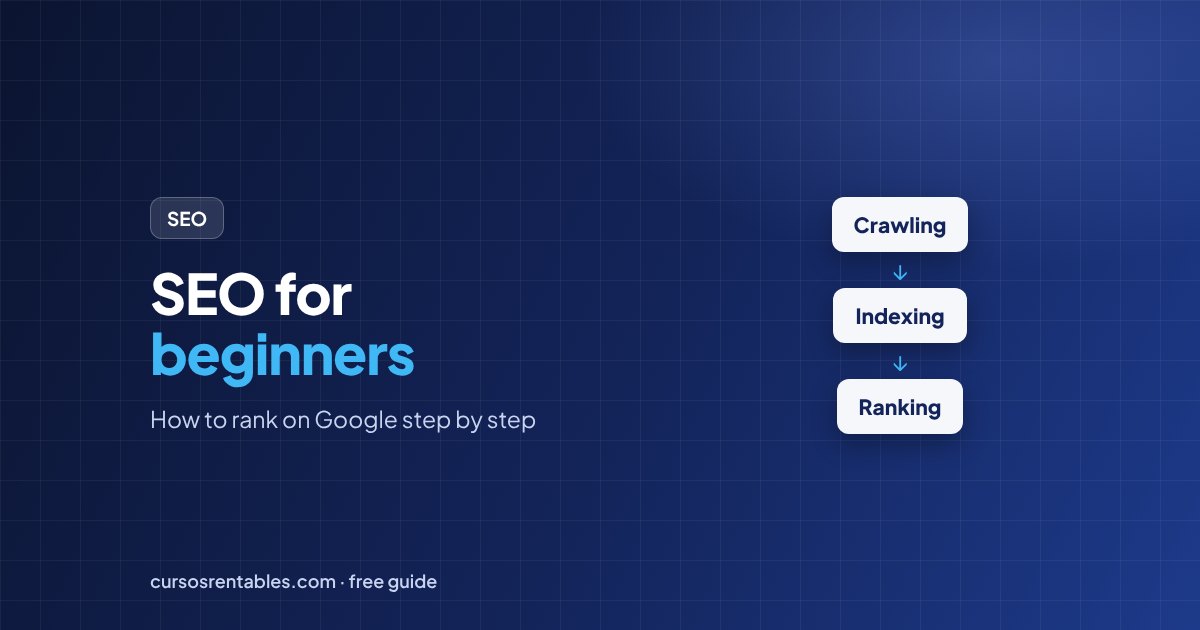
- Step 1CrawlingGoogle's crawler, Googlebot, discovers pages by following links and reading sitemaps.
- Step 2IndexingGoogle analyzes each page (text, images, structure) and stores it in its index. Pages that aren't indexed can't rank.
- Step 3RankingFor each search, Google orders the indexed pages by how relevant, helpful and trustworthy they are, considering things like the searcher's location and device.
Your job in SEO is to make each step easy: be discoverable, be understandable, and be the best answer.
Step 1: Keyword research and search intent
A keyword is the phrase people type into Google. Good keywords for a beginner have three things: people actually search for them, they match what you offer, and the competition isn't overwhelming. Long, specific phrases ("how to make sourdough starter without a scale") are usually easier to rank for than short, broad ones ("bread").
Even more important than the keyword is the search intent, what the person really wants:
| Intent | The searcher wants to… | Example | Best page type |
|---|---|---|---|
| Informational | Learn something | "how to start a budget" | Guide, tutorial, article |
| Navigational | Go to a specific site | "gmail login" | Homepage or login page |
| Commercial | Compare before buying | "best running shoes for flat feet" | Comparison, review, list |
| Transactional | Buy or sign up now | "buy noise cancelling headphones" | Product or pricing page |
Google your keyword and look at the top results. If they're all step-by-step guides, a product page won't rank there, and vice versa. Match the format Google is already rewarding, then make it better.
Free keyword research tools: Google's autocomplete and "People also ask" boxes, Google Search Console (shows the searches you already appear for), Google Keyword Planner (free with a Google Ads account) and Google Trends. Paid tools like Semrush or Ahrefs add search volume and difficulty data.
Step 2: On-page SEO checklist
On-page SEO is everything you control on the page itself. Use this checklist for every page you publish:
Step 3: Create genuinely helpful content
Google's guidance is clear: it aims to reward content created to help people, not content made just to rank. In practice, that means writing for a specific reader, covering the topic better than the current top results, and showing E-E-A-T: experience, expertise, authoritativeness and trustworthiness. Add who wrote it and why they know the topic, cite sources for facts, and keep important pages up to date.
Repeating the keyword over and over ("keyword stuffing").
Write naturally and use related terms the reader expects to see.
Publishing many thin pages that say almost nothing.
Publish fewer, more complete pages that fully answer the question.
Copying or lightly rewriting other sites' content.
Add something they don't have: examples, data, a template, a clearer explanation.
Step 4: Technical SEO basics
Technical SEO makes sure search engines can access your site and people have a good experience on it. The essentials:
Mobile-friendly
Google mainly uses the mobile version of your site for indexing and ranking.
Fast and stable
Core Web Vitals measure loading (LCP), responsiveness (INP) and visual stability (CLS).
Secure (HTTPS)
Use an SSL certificate so every page loads over https://.
Sitemap and robots.txt
Submit an XML sitemap in Search Console and make sure robots.txt isn't blocking important pages.
Also watch for duplicate pages (use canonical tags to point to the main version), broken links, and redirect chains. When you change a URL, set up a 301 redirect from the old address so you keep its rankings.
Step 5: Earn links and mentions
Links from other websites act like votes of confidence, especially from relevant, trusted sites. Good ways to earn them: create resources people want to cite (original data, free templates, calculators, definitive guides), get listed in reputable directories for your industry, partner with suppliers and local organizations, and pitch useful stories to journalists and bloggers. Avoid buying links or joining link schemes: they violate Google's spam policies and can get your site demoted.
Step 6: Local SEO (if you serve a local area)
- Claim and fully complete your Google Business Profile: category, hours, photos, services and website.
- Keep your business name, address and phone number identical everywhere online.
- Ask satisfied customers for reviews and reply to all of them, positive and negative.
- Create a page for each main service and, if you serve several towns, a genuinely useful page for each area.
Step 7: Measure what matters
Google Search Console is free and shows, for each page and query, your impressions, clicks, click-through rate (CTR) and average position. A quick win: find pages with many impressions but a low CTR, and improve their titles and descriptions.
CTR = Clicks ÷ Impressions

Before: 240 clicks ÷ 12,000 impressions = 2%
After a better title, same impressions at a 4% CTR:
12,000 × 4% = 480 clicks → twice the traffic without ranking any higher
Your 30-day SEO starter plan
- Week 1Set up and auditVerify your site in Google Search Console, submit your sitemap, check that key pages are indexed and fix any obvious mobile or speed problems.
- Week 2ResearchList 20 keywords your customers use, check the intent of each in Google, and pick 3 you can realistically compete for.
- Week 3Create and optimizeWrite or improve one page for each of the 3 keywords using the on-page checklist, and link to them from related pages.
- Week 4Promote and measureShare the new pages, reach out to 5 relevant sites, and note impressions and positions in Search Console to compare next month.
Frequently asked questions
How long does SEO take to work?
It varies with your site's age, competition and how much you publish. New sites often need several months to see meaningful traffic, while improvements to existing pages can show results within weeks.
Is SEO free?
You don't pay Google for organic rankings, but SEO takes time, and many businesses pay for tools, content or experts. Compared with ads, the traffic keeps coming after you stop investing, at least for a while.
Can I do SEO myself?
Yes. The basics in this guide cover most of what a small business needs. Consider an expert for large sites, migrations or highly competitive markets.
What's the difference between SEO and SEM?
SEO is about earning free (organic) rankings. SEM (search engine marketing) usually refers to paid search ads, though some people use it to cover both.
Do I need a blog for SEO?
Not necessarily, but content answers the questions your customers search for before they're ready to buy, which helps you attract them earlier. See how SEO fits with other channels in what is digital marketing.
Want to master SEO, content and online ads? Start with our free digital marketing course, with practical lessons and a template.
Keep reading
 How to Make a Budget in 6 Steps (With Real Examples)
To make a budget, start with your monthly take-home pay, list everything you spend, sort …
 How to Improve Your Credit Score: 10 Steps That Work
The fastest ways to improve your credit score are to pay every bill on time, lower the sh…
 Debits and Credits Explained: Rules, Examples and Cheat Sheet
In accounting, a debit is an entry on the left side of an account and a credit is an entr…